
Send money home
Your first transfer is free and arrives in seconds
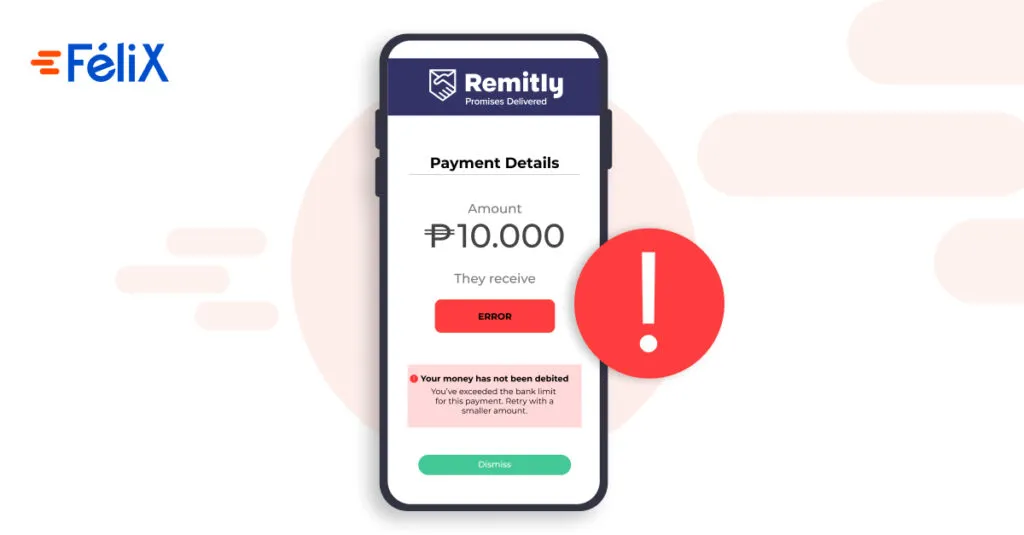
The transfer limit is the maximum amount you can send per transaction, per day, per month, or per six-month period.
Remitly allows you to send remittances with different limits for each country and each user. As a general rule, if you want to send money from the United States to Mexico, when you open your account, you will be allowed to send up to $2,999 USD per day, $10,000 USD per month, and $18,000 USD every six months. However, there are specific factors that can modify these amounts: how frequently you send money, whether it is received via bank transfer or in cash and at which merchant, or what your user level is.
In this article, you will understand the money transfer limits Remitly allows for Mexico and other countries, and how to increase them. We will also give you tips on how to get the most value when sending remittances.
Limits for one-time transfers from the United States to Mexico via Remitly
This table details how much money you can send to Mexico and other countries through Remitly if you make bank transfers occasionally; that is, without regularity.
New users ****Level 1Level 2 users
Level 3 users*
24 hours (1 day)$2,999 USD$6,000 USD$10,00030 days (1 month)$10,000 USD$20,000 USD$30,000180 days (6 months)$18,000 USD$36,000 USD$60,000
- In this article, we will explain what a level 1, 2, or 3 user is and how to change your level.
**If you send money in cash, the limits will change depending on the merchant where your recipient picks it up. Check the Cash Transfers section in this article.
Limits for frequent or regular transfers via Remitly
If you send remittances frequently, it is important to know the maximum amount you can transfer in a month or six months. Imagine you are a level 1 user and you are going to send money every month for six months, during which you can send a maximum of $18,000 USD. In this case, your actual monthly limit would be $3,000 USD. And if you were to send money every day for six months, the maximum would be $100 USD per day. But you can increase your limit, and in this article, we will tell you how to do it.
Below, we detail the maximum amount you can send via bank transfers if your transfer frequency is regular.
New customers Level 1Level 2 customersLevel 3 customersIf you send money **every day **for six months or more$100 USD per day$200 USD per day$333.33 USD per dayIf you send money every month for six months or more$3,000 USD per month$6,000 USD per month$10,000 USD per monthIf you send money once every six months$18,000 USD per six months$36,000 USD per six months$60,000 USD per six months
These limits apply regardless of who you send money to. That is, if you send money to your parents in January and to your children in February, your maximum monthly amount will not change because it depends on the sender, not the recipient.
Read our tips until the end on how to better optimize your remittance transfers and get more value for your money.
I want to send more money: upgrading my level on Remitly
When you open your account, you will be assigned level 1 limits. Remitly offers you the option to increase your transfer limits if you provide more information about yourself and how you use the platform.
You can request a level change 24 hours after opening your account. Go to the website Remitly.com or the App and log in. Select My Remitly and then Increase Limits. Choose the level that offers the transfer limit you need (2 or 3). Fill in the requested fields and upload the required documents:
- [w0]Level 1 to 2 upgrade: In addition to your full name, address, and date of birth, you will need to provide your full Social Security Number (SSN), upload a government-issued photo ID, and answer questions from Remitly regarding your use of the platform, including your source of income.[/w0][w1]Level 2 to 3 upgrade: Remitly will ask you a few questions about how and why you use their platform. You will receive a response in your inbox within 48 hours.[/w1]
[w0]Cash transfers[/w0]
[w0]The aforementioned limits may be modified if your recipient is receiving the money in cash, as they depend on the merchant where it is received, not on Remitly.[/w0]
[w0]These limits are independent of your customer level. If you are a level 3 customer and make a cash transfer, it cannot reach $10,000 USD, but rather the limit imposed by the receiving merchant.[/w0]
[w0]Merchant[/w0][w1]Cash transfer limit[/w1][w2]ElektraUSD $3,000CoppelUSD $3,000SorianaUSD $1,500AurreráUSD $1,300WalmartUSD $1,300BBVA BancomerUSD $650Farmacias GuadalajaraMXN $15,000OxxoMXN $3,000[/w2]
[w0]Consider the exchange rate[/w0]
[w0]In addition to knowing the maximum amount you can send, [/w0][w1]it is very important to check the exchange rate[/w1][w2] you will get for it. For this, we recommend comparing different platforms. A tip: [/w2][w3]check out Félix Pago[/w3][w4], which offers a very low rate and fee, so your family can receive more for less.[/w4]
[w0]Tips for maximizing your money transfers to Mexico[/w0]
- [w0]Plan your transfers. Calculate how many times per month or semester you will send money and keep track of how much you have sent. Preferably, prepare a calendar with the dates and amounts you wish to send and calculate totals by month and semester ranges to see if you are staying within the limit. If you can afford it, don't plan on hitting the limit; set aside an amount for emergencies and unforeseen events.[/w0][w1]Request a level upgrade with Remitly to be able to send more money.[/w1][w2]If you can, send money to bank accounts. This will allow you to take full advantage of the general limits, which are higher than those for merchants that provide cash.[/w2][w3]If your family or friends can only receive money in cash, consult the Cash transfers table and choose the one that allows you to send the amount you need from those that are convenient for them.[/w3][w4]Don't just look at the amount of money you can send, but also at which transfer is cheaper, [/w4][w5]so your loved ones receive more pesos for the same amount of dollars[/w5][w6]. On the day you are going to make the transfer, compare exchange rates across various remittance services, as well as the fee or fixed cost per transaction. A recommendation: [/w6][w7]Félix[/w7][w8] offers an excellent rate for sending money to Mexico and uses a fixed fee of $2.99 USD per transaction.[/w8]
[w0]How to send money to Mexico fast and secure → Felix Pago[/w0]
[w0]Félix is a service for sending money from the United States to Mexico that works via chat. It is designed to provide you with an easy, fast, reliable, and affordable experience.[/w0]
[w0]Access [/w0][w1]www.felixpago.com[/w1][w2] from your cell phone, enter your phone number in the box, and click the Send now button. A conversation will automatically open in your WhatsApp application, which will guide you through the remittance process. It will be simple and fast. It will ask for your full name, who you want to send money to, and which municipality they are in. What the amount is and which merchant you want it to be received at.[/w2]
[w0]It will also provide you with clear information about the exchange rate to be applied, the fee, and how many pesos your recipient will receive in Mexico. The money will be in their hands in a few minutes.[/w0]
[w0]How much money you can send with Félix[/w0]
[w0]Félix Pago allows you to make payments or transfers of up to $3,000 USD per day or $10,000 USD per month.[/w0]
[w0]Are you going to send money regularly? Check the following table to better organize your transfers.[/w0]
[w0]** New Customers Level 1**[/w0][w1]If you send money **every day *[/w1][w2]for a month or more$322 USD per day[/w2][w3]Do you need to send more money?[/w3]
[w0]We will only need you to verify your personal information. If you send money **every week [/w0][w1]for a month or more$2,500 USD per week[/w1][w2]If you send money once a month$10,000 USD per month[/w2]
[w0]*31-day month[/w0][w1]**Four-week month[/w1]
[w0]Do you have any questions?[/w0][w1]Visit our page[/w1]
Contact us
Email: ayuda@felixpago.com
WhatsApp: +1 669 333 3549
Related content